

Speed up checkout and reduce cashier mistakes.
Why teams choose it
Designed to create practical business results
Keep sales connected to inventory and reports.
Handle receipts, returns, and stock alerts with less manual work.
Core capabilities
Everything your team needs for the daily workflow
Fast checkout
Search products, add to cart, suspend sales, calculate totals, and print receipts.
Sales and returns
Record payments, issue receipts, process returns, and monitor transaction history.
Stock visibility
Connect sales to product quantities, stock alerts, and performance reports.
Detailed walkthrough
Perfect Point of Sale System product details
Sell faster with a POS that connects products, receipts, returns, stock alerts, and reports.
In the bustling world of retail and service industries, managing daily transactions efficiently while maintaining a high level of customer satisfaction can be overwhelmingly challenging. Business owners frequently grapple with outdated systems that can't keep pace with modern demands, leading to common pain points such as inventory discrepancies, long checkout times, ineffective customer relationship management, and inflexible payment solutions. This is where the Perfect Point of Sale System comes into play—a comprehensive software solution designed to streamline operations, enhance customer experience, and boost profitability.
Feature Details
1. Point of Sale System
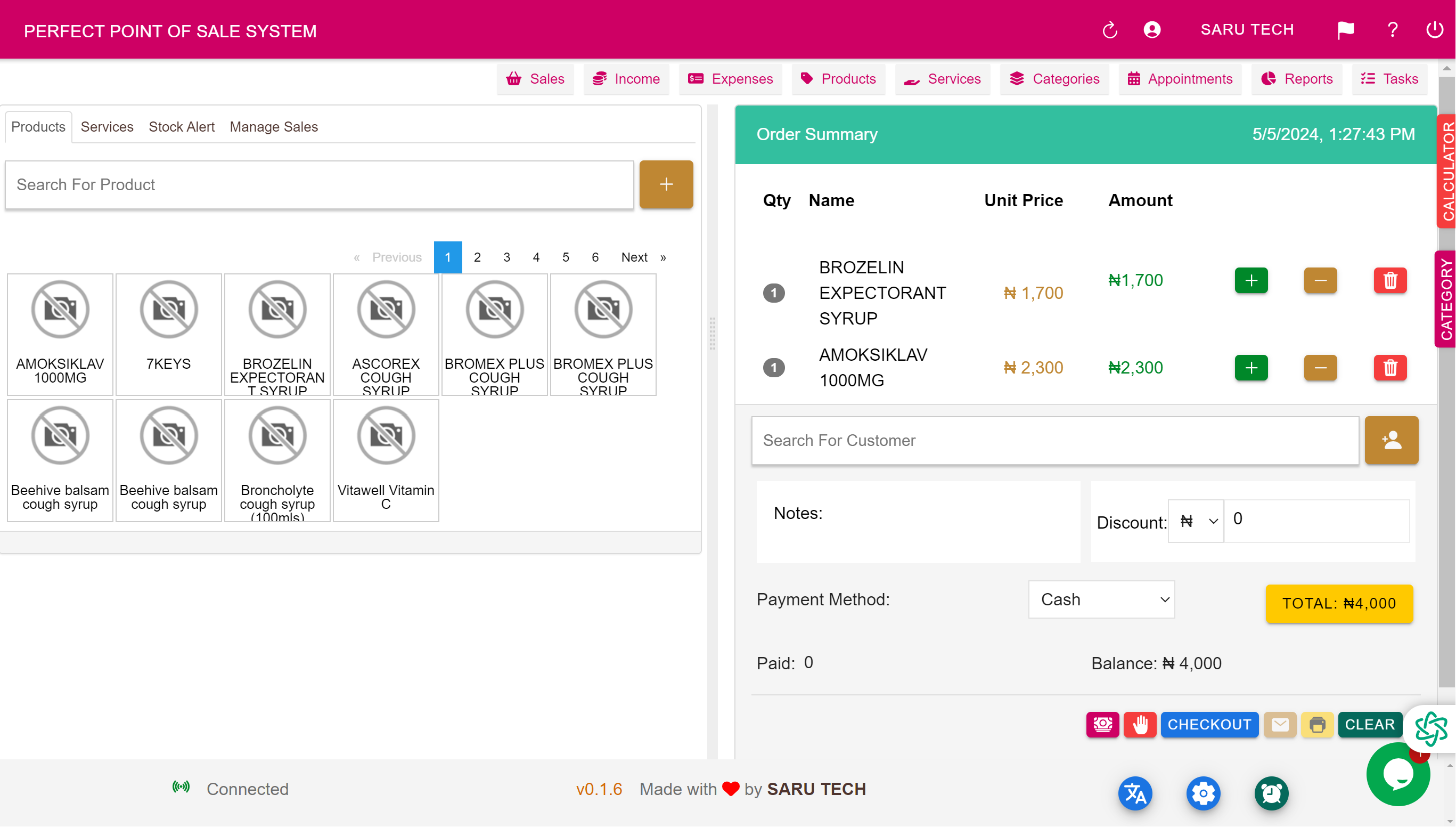
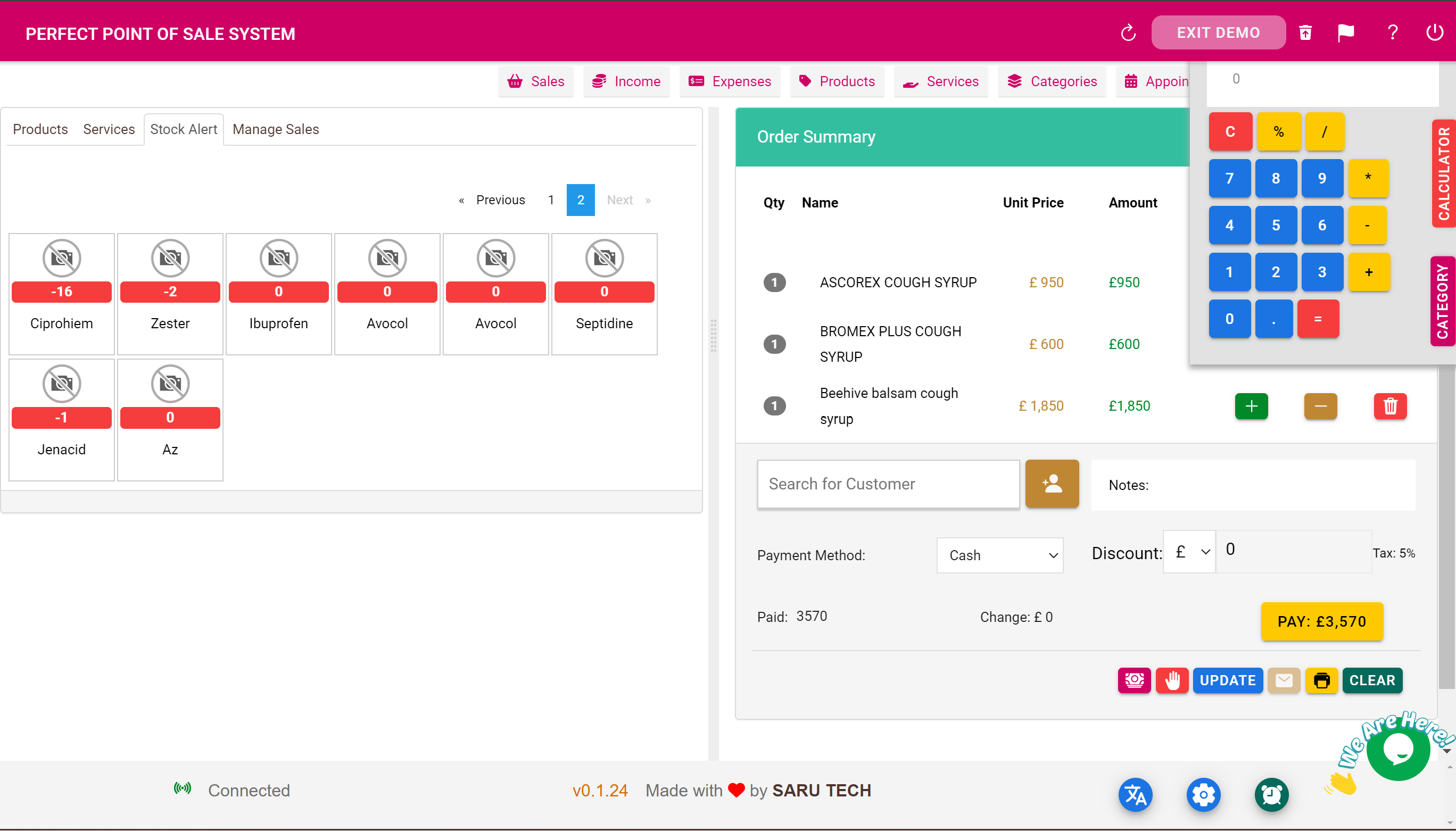
The cornerstone of the Perfect Point of Sale System is its robust and intuitive sales interface. This feature is designed to facilitate rapid, error-free transactions, ensuring that customers spend less time waiting in line and more time being satisfied with their shopping experience. The system supports barcode scanning, custom sales workflows, and integrates seamlessly with hardware like cash drawers and receipt printers, making it an indispensable tool for modern retail environments.
Cash register system that stores product information, making the checkout process quicker. Print out receipts, hold sales, accept return or edit sales.
- Advance Point of sale system
- Easily search through products/services and add them to the cart
- Suspend items on the cart and Finish Later
- Advance Calculator to assist with your arithmetics
- Email Customer their Receipt
- Print Receipt for Customer
- Find Items under Category
- Easily add new product or service from the POS Page
- Add Expenses from the POS page
- Take note of balance payments
- Add other specific information pertaining to that sale.
- Return Items back to the shop and update the sales
- Add a customized message on your receipt
- Customize the system currency
- Clear Products on the cart
2. Managing Returns
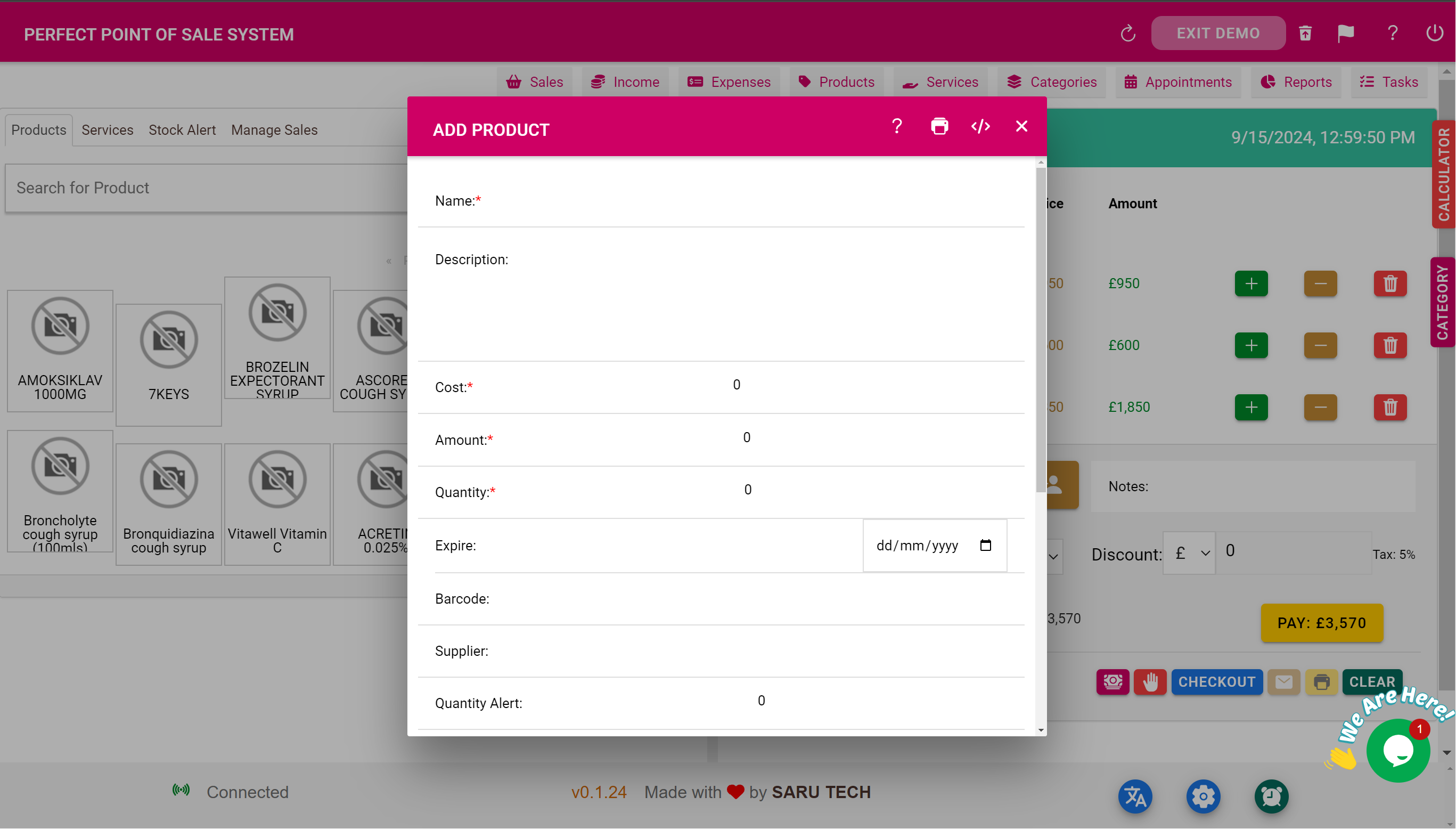
Handling returns and exchanges can be cumbersome without the right tools. Our software simplifies this process by allowing staff to quickly process returns, link them to original sales records, and update inventory levels in real-time. This transparency not only aids in maintaining accurate stock counts but also ensures customer trust and satisfaction by making the returns process smooth and straightforward.
3. Customer Management
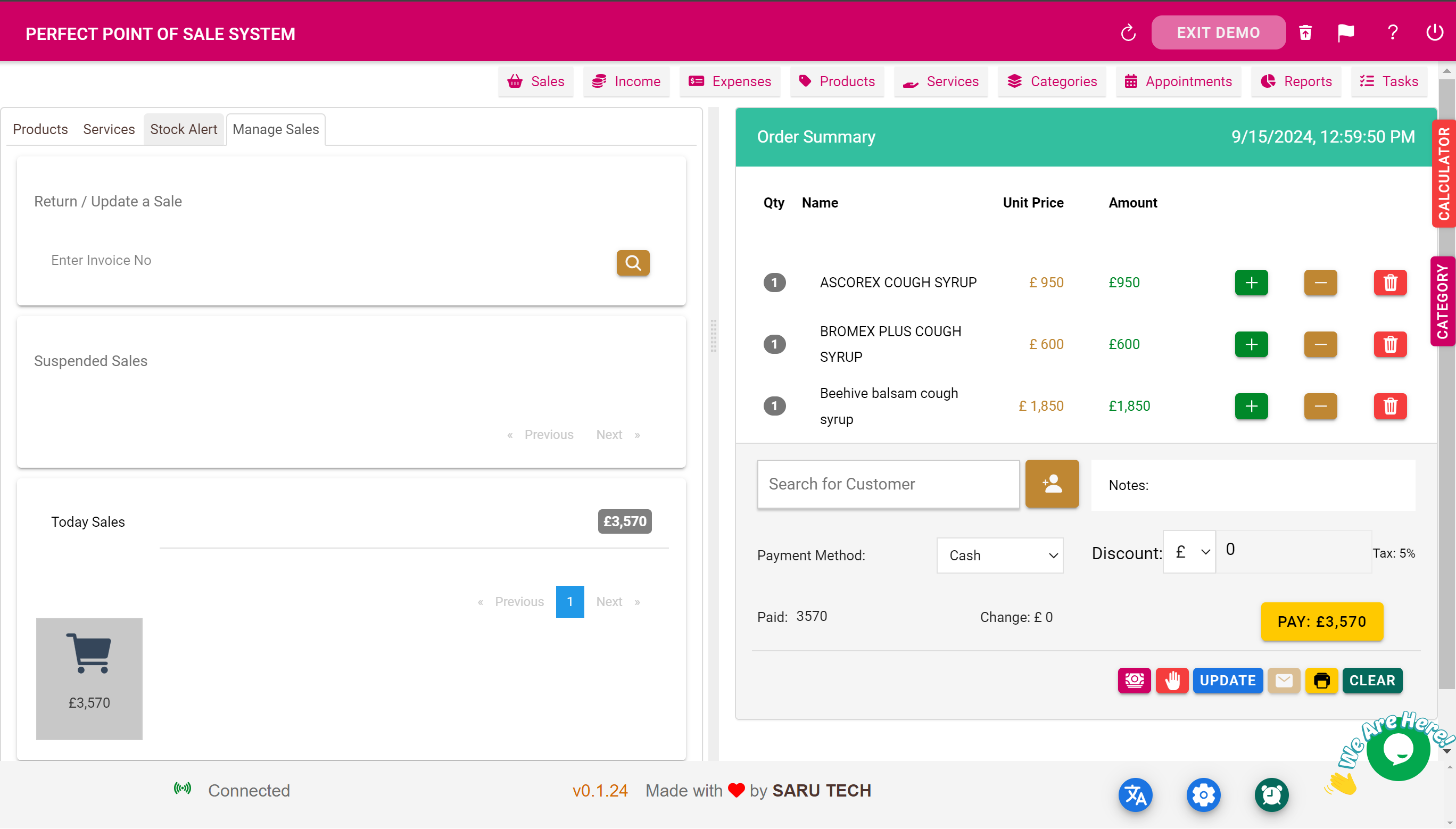
The Customer Management feature helps businesses build and maintain relationships with their clients by tracking sales history, preferences, and contact information. By leveraging this data, companies can deliver personalized service, targeted promotions, and loyalty rewards that increase customer retention and value over time.
4. Stock Level Management and Alert
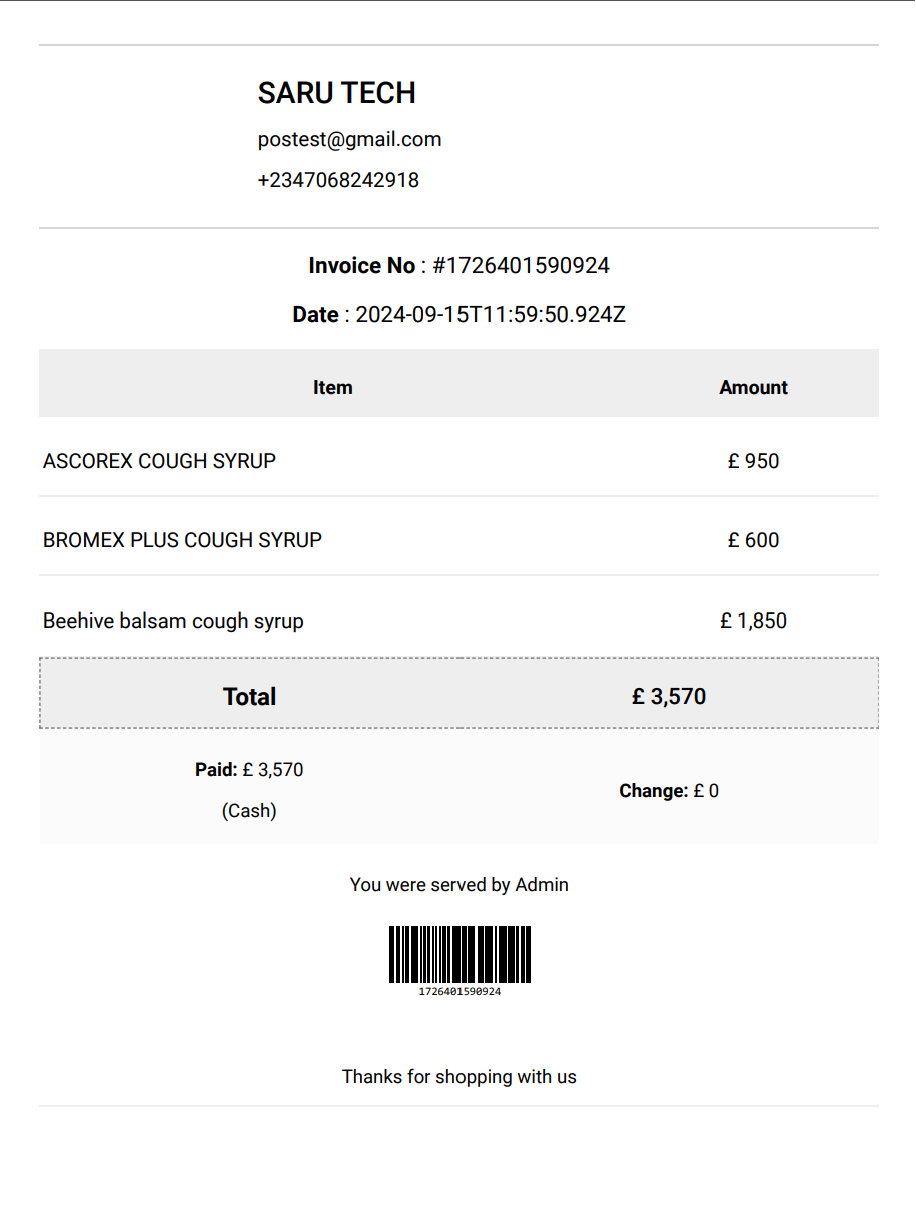
Maintaining optimal inventory levels is critical to retail success. This feature automatically tracks stock levels and uses predictive analytics to forecast needs. Alerts are sent to managers when items are low, eliminating the risk of stock-outs and ensuring shelves are always stocked with the items customers want.
5. Tracking Unpaid Bills for Each Customer
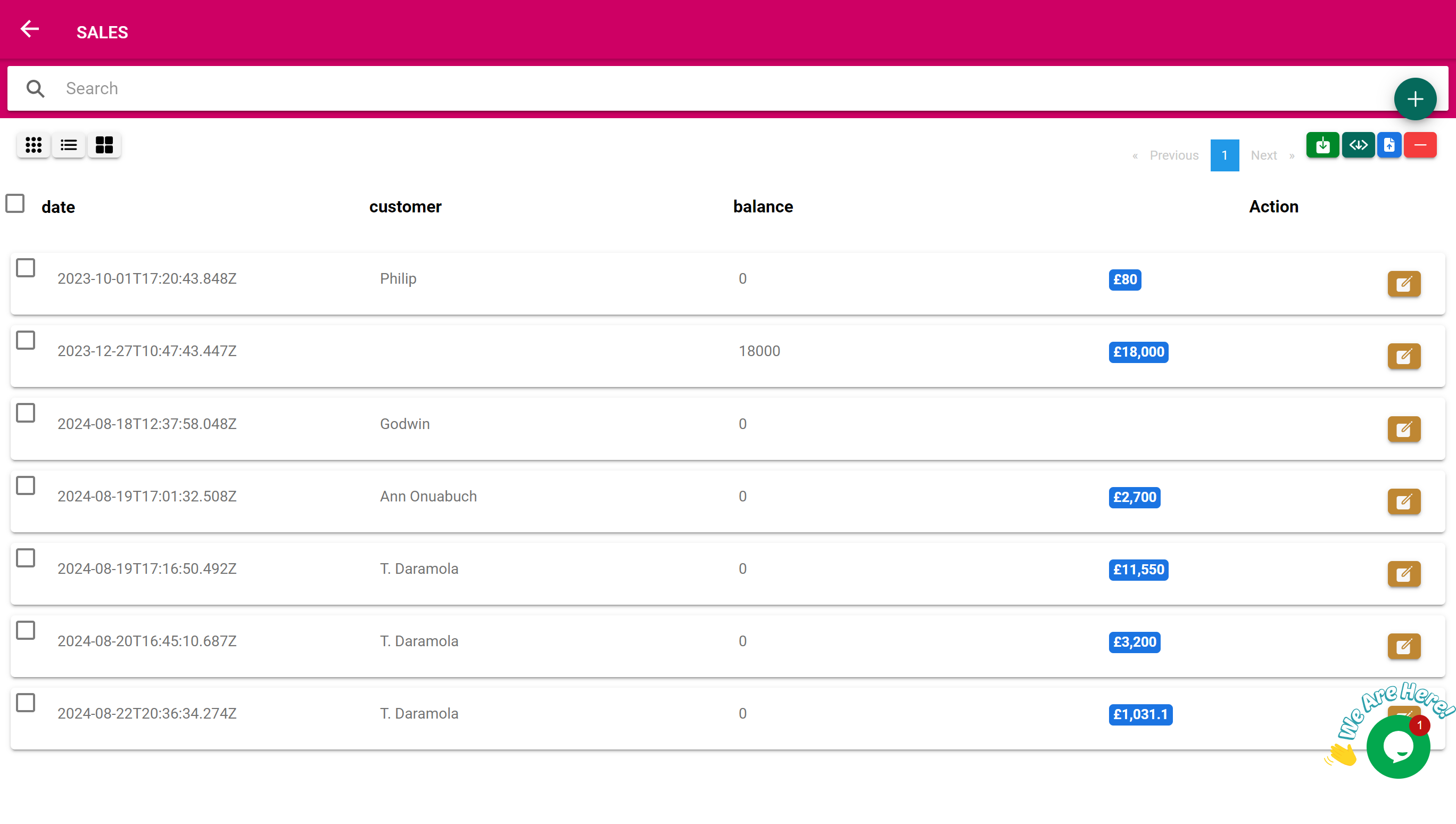
For businesses that extend credit to their customers, this feature provides a crucial overview of outstanding balances and payment histories. It allows for better cash flow management and reduces financial risks by alerting businesses to delinquent accounts, thus improving overall revenue collection.
6. Suspended Bill Management
In situations where transactions cannot be completed immediately, the Suspended Bill Management feature allows employees to hold and retrieve incomplete transactions. This is especially useful in busy environments where customer queries or product availability issues may delay processing.
7. Sales Management
This comprehensive tool offers insights into sales trends, performance metrics, and individual transactions. With this data, businesses can make informed decisions about promotions, product placements, and pricing strategies, all tailored to maximize sales and profitability.
8. Product Management & Categories
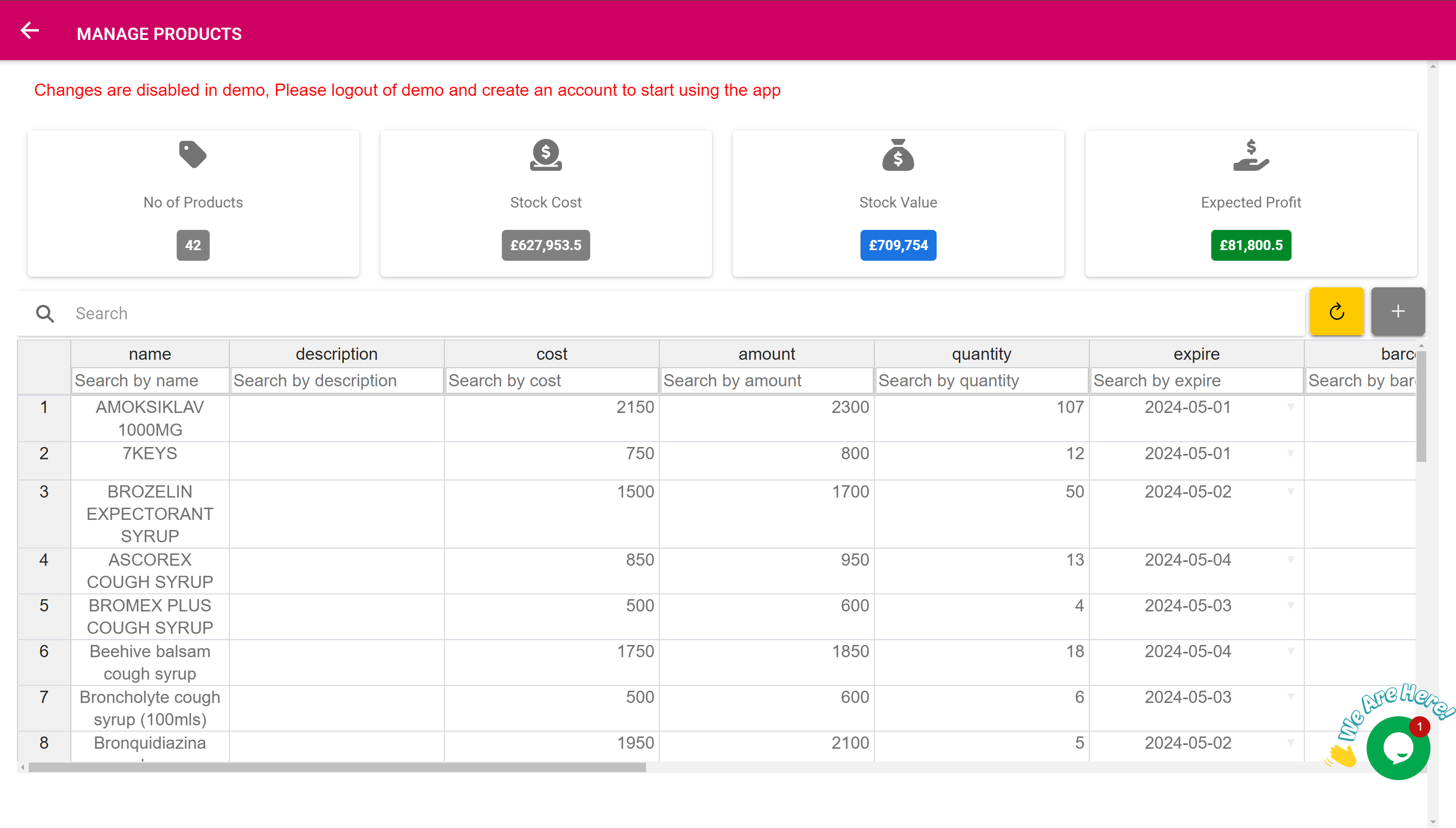
Organizing products is seamless with our system, which allows for detailed categorizations and attributes for each item. This organization helps staff locate products quickly and provides valuable insights into sales performance across different categories, aiding in inventory and marketing decisions.
9. Income Management
Monitoring and managing income with our software ensures that all financial data, from sales revenue to payment methods, is accurately captured and easily accessible. This provides a clear picture of financial health and assists in strategic planning.
10. Services Management
For businesses that offer services alongside products, managing appointments, and service offerings is streamlined. This system accommodates scheduling, billing, and customer feedback, integrating these elements into a unified management solution.
11. Expense Management
Track and control spending with the Expense Management feature. It simplifies the recording and categorization of business expenses, which is essential for budgeting, financial planning, and tax preparation.
12. Appointment Management
Efficiently manage customer appointments with automated scheduling tools that minimize overlaps and conflicts. This feature enhances customer satisfaction by ensuring timely service and can integrate with online booking platforms.
13. Report and Chart System
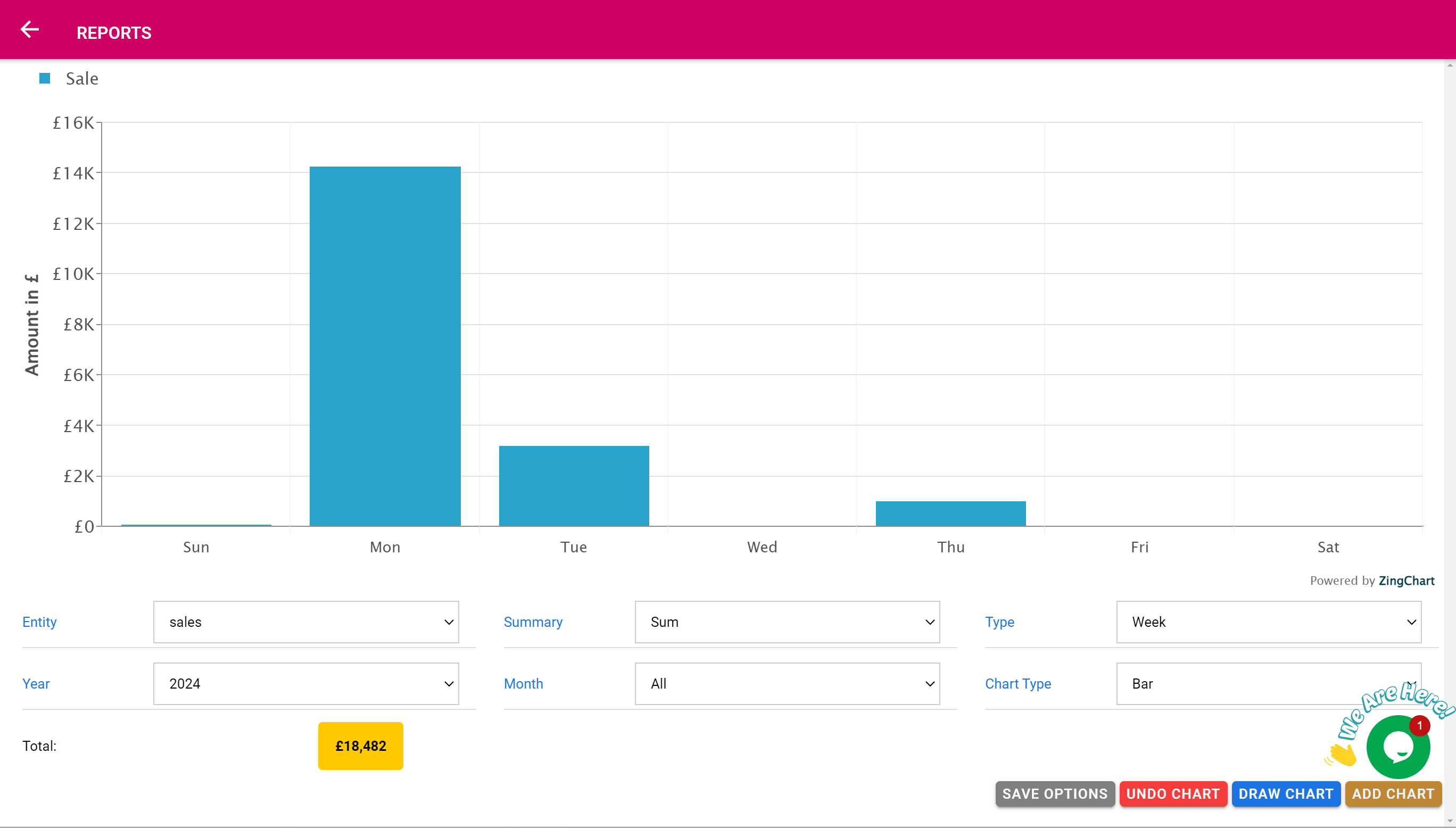
Gain deep insights into your business performance through detailed reports and visual charts. Analyze sales, expenses, customer behavior, and more to make data-driven decisions that propel your business forward.
14. Task Management
Organize staff tasks and workflows to ensure that daily operations run smoothly. This feature helps prioritize work, assign responsibilities, and track progress, which enhances team productivity and effectiveness.
15. Adding Discount
Implementing discounts directly through the POS system is straightforward and can be applied to single items or entire transactions. This flexibility allows businesses to run promotions effortlessly, attracting more customers and boosting sales.
16. Support Multiple Payment System
Accepting a variety of payment methods, from cash to credit cards to digital wallets, this feature ensures that every customer can transact in their preferred way. This inclusivity boosts customer satisfaction and increases the likelihood of repeat business.
Conclusion
The Perfect Point of Sale System offers a suite of powerful features designed to address the various challenges faced by businesses in the retail and service sectors. By integrating such a diverse array of management tools into a single, user-friendly platform, this software not only increases operational efficiency but also enhances the overall customer experience, setting the stage for sustained business growth and success.
Customer reviews
Typical workflow
- Scan or search item
- Complete sale
- Review stock and sales
Works with



Trusted by 5500+ Businesses in 60 Countries
Join thousands of healthcare providers worldwide who rely on our software for seamless management and better care.
Ready to modernize your workflow?
Start with the free offline version, then scale when your team is ready.
Offline & Online
Our system works seamlessly with or without an internet connection, ensuring uninterrupted operations in any environment.
Onboarding Support
Get personalised onboarding and migration assistance and support to ensure a smooth transition for your team.
User Permissions
Manage access levels and roles with a robust user permissions system to ensure security and appropriate information sharing.
100% Customizable
Tailor every aspect of the system to match your specific workflows and preferences, ensuring maximum efficiency.
Customer Support
SARU TECH provides dedicated, ongoing support to ensure smooth operation of the system

Dedicated Assistance
A dedicated Customer Success Representative will be assigned to your clinic to provide on-demand technical assistance and workflow support.

Multi-Channel Support
Support is available via chat, WhatsApp, and Zoom calls.
Online & Offline Access
The system is designed to work both online and offline, ensuring continuous service even in areas with limited internet connectivity. You also have the option of installing the system in your local area network.

Response Times
- Critical issues: Resolved within 2 hours
- High-priority issues: Resolved within 4 hours
- Low-priority issues: Resolved within 24 hours

System Maintenance
Regular system updates and feature enhancements are deployed to continuously improve performance, security, and usability.

Uptime Guarantee
We guarantee 99% uptime to ensure system availability and uninterrupted clinic operations.