
🧑💼 Managing User Roles & Access Control
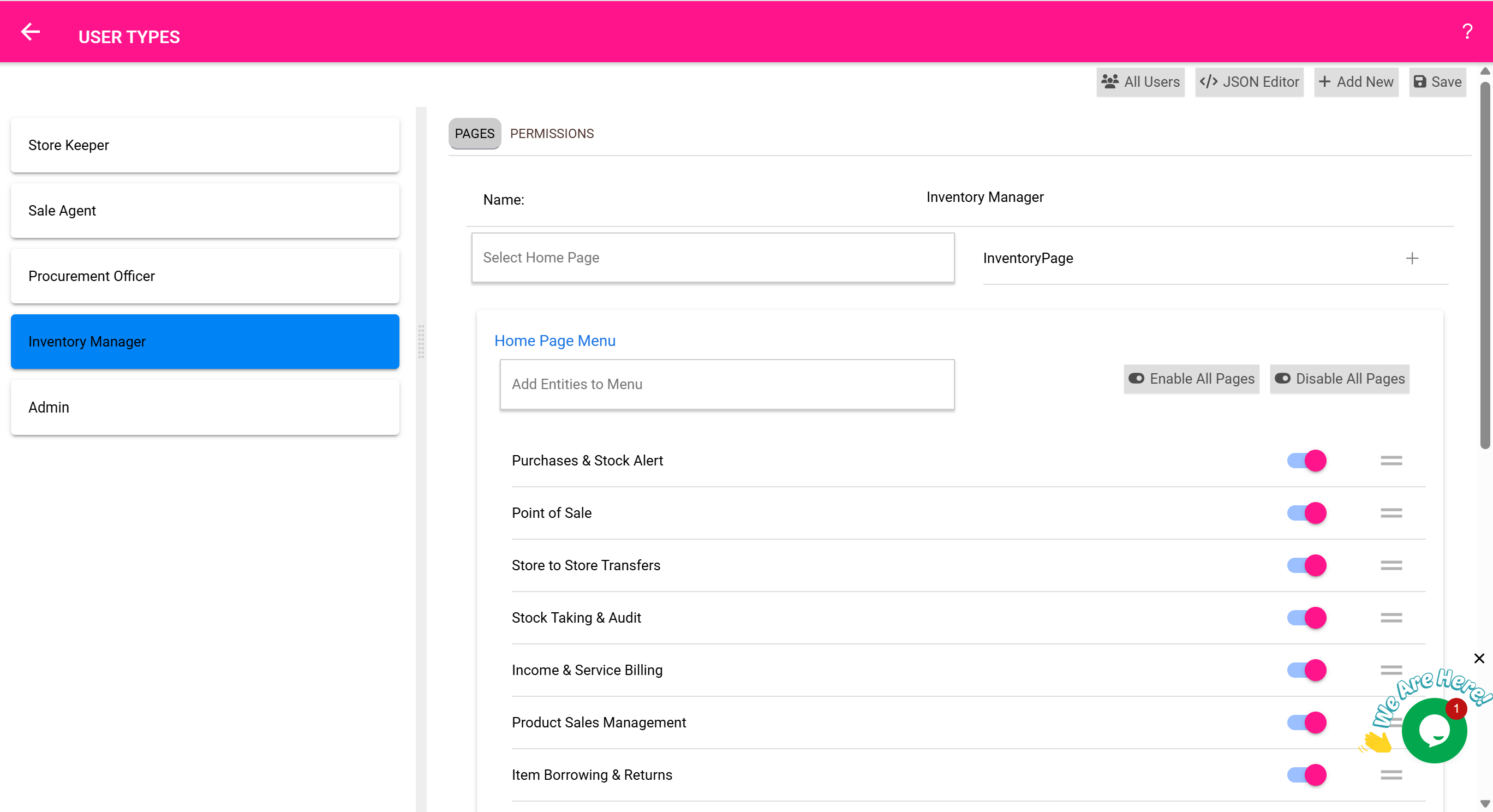
The User Roles & Access Control Page allows administrators to define which users can access certain features and data. This is crucial for ensuring security, accountability, and streamlined workflows in multi-user environments.
🎯 What Can You Do Here?
- 🔑 Create and edit user roles
- 👥 Assign roles to users
- 🏪 Restrict access to specific stores or departments
- 📄 Control permissions for each feature (view, edit, delete)
📋 Default Roles in the System
The system comes with preconfigured roles that can be customized:
- Administrator: Full access to all features and stores
- Inventory Officer: Manages stock but cannot change system settings
- Cashier: Limited to POS operations and viewing sales
- Pharmacist: Dispensing permissions and access to expiry alerts
- Auditor: Read-only access to inventory and transaction records
🔒 Store-Level Access
Each role can be restricted to specific stores:
- ✅ Example: A cashier may only access the “Retail Store”
- ✅ Example: A ward nurse sees only the inventory for “Ward Supplies Store”
This ensures users only see and work with data relevant to their responsibilities.
🛠️ Configurable Permissions
For each role, you can set granular permissions like:
- ✔️ View Only: Allows viewing data but no edits
- ✔️ Create/Edit: Enables adding and modifying records
- ✔️ Delete: Allows removing records (use with caution)
- ✔️ Export/Print: Controls ability to generate reports
🧰 Real-Life Workflow: Adding a Role for Nurses
- Go to User Roles & Access Control Page
- Click Add New Role
- Name: “Ward Nurse”
- Set permissions: View inventory, Borrow items, Dispense items
- Restrict to stores: Ward 1, Ward 2
- Save and assign this role to staff accounts
✅ Nurses now have appropriate access without seeing unrelated data.
🧠 Best Practices
- Review user permissions quarterly to ensure compliance
- Apply the principle of least privilege (grant only needed access)
- Use separate roles for admins and finance teams to prevent conflicts
- Restrict Delete permissions to trusted users only